10/17/2019

BMW B38 ISN Reading on Bench by Yanhua Mini ACDP

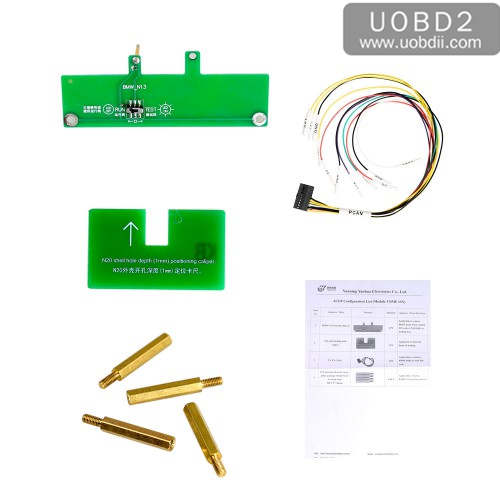
Yanhua Mini ACDP with Model 3 can read and write BMW B38 ISN in two methods: on Bench and by opening DME shell.
yanhua-mini-acdp-read-write-b38-isn-01

Firstly, to have Yanhua Mini ACDP + Module 3.
yanhua-mini-acdp-read-write-b38-isn-02 yanhua-mini-acdp-read-write-b38-isn-03

Method 1: Yanhua Mini ACDP read write B38 ISN on Bench
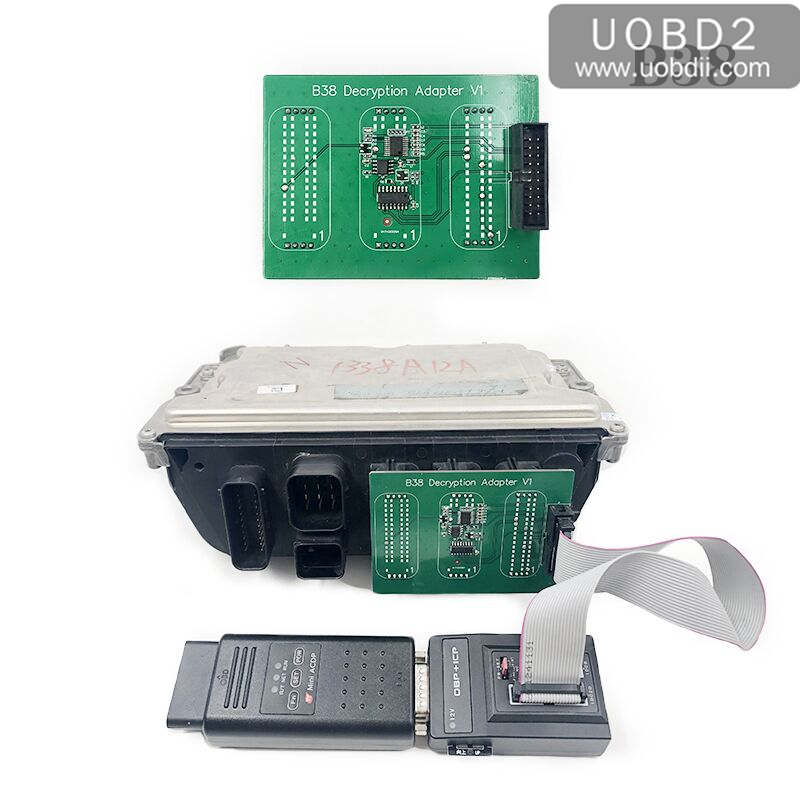
Without opening the DME shell, you need one extra B38 Integrated Interface Board (will come soon).
yanhua-mini-acdp-read-write-b38-isn-04

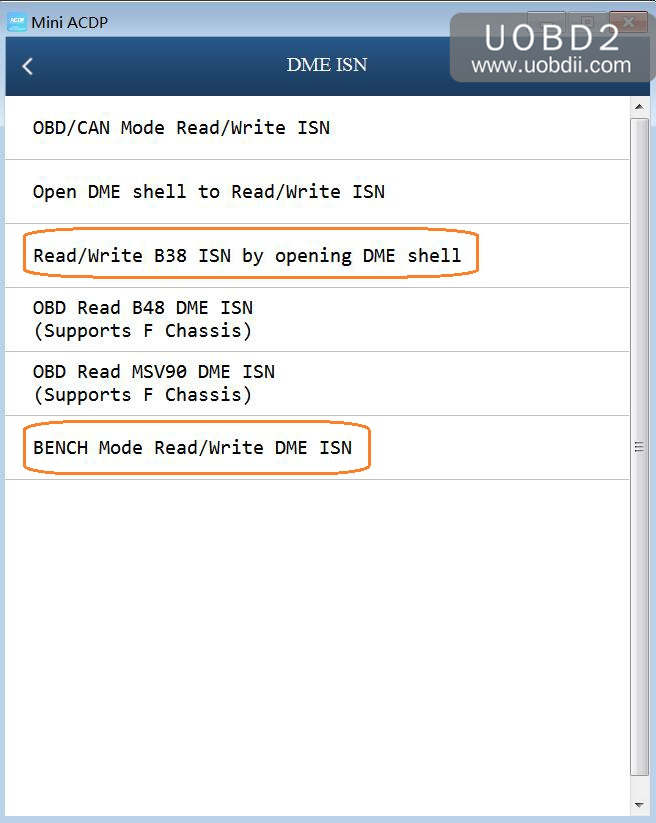
Open Mini ACDP.
Click on "BMW".
Click on "DME ISN".
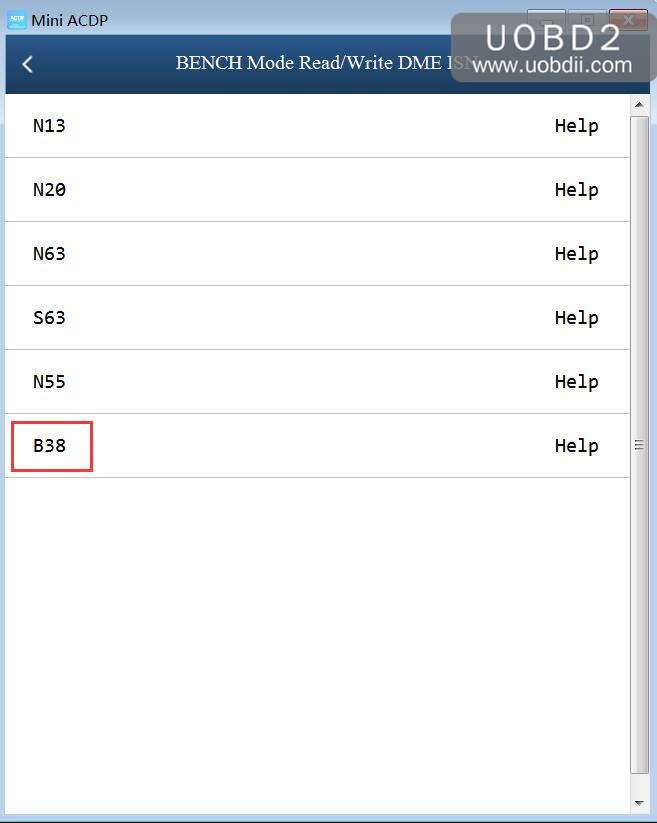
Click on "Bench Mode Read /Write DME".
yanhua-mini-acdp-read-write-b38-isn-05

Step 1. Please prepare ACDP, OBP+ICP adapter, interface board and DME.
yanhua-mini-acdp-read-write-b38-isn-06

Step 2. Connect the interface board correctly to the DME interface as shown.
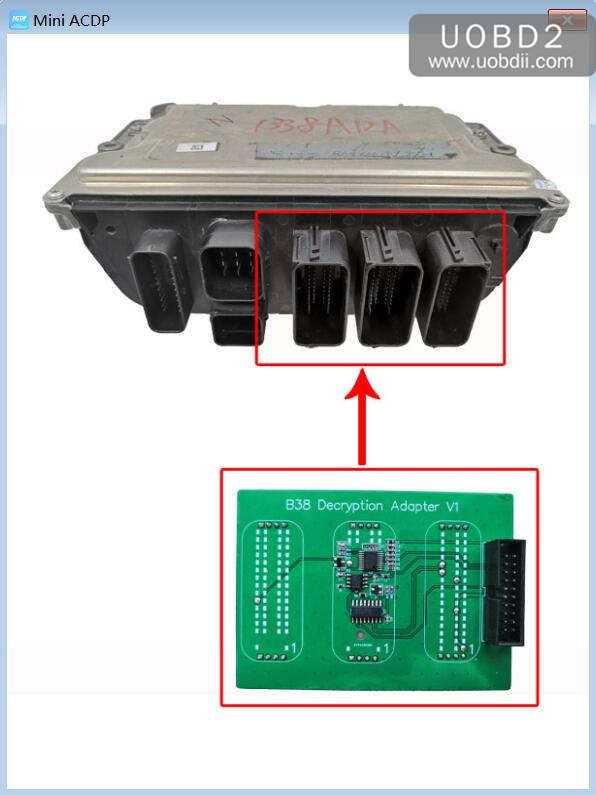
yanhua-mini-acdp-read-write-b38-isn-07

Step 3. Connect ACDP, OBP+ICP adapter, interface board and DME.
yanhua-mini-acdp-read-write-b38-isn-08

Method 2: Yanhua Mini ACDP read & write B38 ISN by opening DME shell
No need one extra B38 Integrated Interface Board.
Only need Yanhua Mini ACDP with Yanhua Mini Module 3.

Open Mini ACDP.
Click on "BMW".
Click on "DME ISN".
Click on " Read & write B38 ISN by opening DME shell".
There are "Help" icon that you can follow o operate.

8/14/2019

How to Uuse Yanhua Mini ACDP View BMW VIN?

Yanhua Mini ACDP update: Both IOS & Android users can view the vehicle info by VIN before going to program. Please upgrade your app from App Store.

If you are beginner of Yanhua Mini ACDP,please watch this video guide:
https://youtu.be/xXt2jlAOLuc
Purpose: In order to confirm whether Yanhua Mini ACDP can program the user’s key.
Such as:
  1. When you only know the car model and year, this software will help confirm the BMW IMMO is BMW CAS1-CAS4+or FEM/BDC.
  2. If all keys lost, it requires to read out the engine ISN code, but the user doesn’t know the ECU model, then this software will help. Which is helpful for both users and dealers.
For example, when the dealer has no idea whether Mini ACDP can program key on BMW 5 series 2017 or not, which module to order, then the dealer can ask for the VIN to check the BMW information before decision.
 Part 1. For IOS user, you can follow the next procedure to view the vehicle info by VIN:

1.Select “Details”.BMW Key Programming
yanhua-acdp-check-vehicle-info-by-VIN-01 

6/13/2019

Yanhua Mini ACDP New 8P Clamp User Guide

Yanhua Mini ACDP package updated one new 8p clamp for free since May, 2019.  With this long clip, the user is easy to observe and prevents the embedded chip from shaking. Also it adds one finger handle which is easy to hold and keep balance.

More Yanhua ACDP Tech,check here:Yanhua Mini ACDP Programmer
Attach several images of new 8p clamp photos taken from various angles:
yanhua-mini-acdp-8p-clamp-001

6/10/2019

How to use Yanhua ACDP Reads/Writes BMW FEM/BDC 95128/95256

This is for those who are looking for the best way to program (read/write) FEM/BDC 95128/95256 chips.


Traditionally, for FEM/BDC programming:
You need remove chip 95128/95256 from FEM/BDC and desolder for data read and write.

Desolder and solder the chip twice


6/04/2019

Yanhua ACDP mini adds CAS4 keys: 3min done!

Here https://yanhuaminiacdp.blogspot.com show you the procedures on how to use Yanhua Mini ACDP software to program BMW CAS4 Keys,hope it helps!

Tested by uobdii.com
Look here: details with images...
Remove CAS4 from the car
The CAS is located under the steering wheel
Dismantle the CAS module

Prepare the following parts:
ACDP main unit
OBP+ICP
BDM01
20 pin cable
CAS4 adapter
BAV-KEY adapter
Working key
Key blank

Source: http://www.uobdii.com/wholesale/yanhua-mini-acdp-basic-configuration-with-bmw-cas1-cas4-plus.html

Procedurs:
Install the copper pillar
Find the location hole D1-D4

5/29/2019

How to Use Yanhua ACDP Program New Key for VW Passat MMC All Keys Lost

This article show you the procedures on how to use Yanhua Mini ACDP programmer to program new keys for VW Passat MMC all key lost programming.

More Yanhua Mini ACDP post,please check here:Yanhua Mini ACDP

Preparations:
1). Yanhua ACDP basic module
2). VW MQB/MMC Instrument Module6 + authorization

3.Software installation:

Yanhua ACDP Software Installation Download Guide for Iphone IOS
Yanhua ACDP Software Installation Download Guide for Android


Step 1: Download, install, settings
* Take Android Phone for example.
1). Browse http://www.acdpmaster.com (Yanhua ACDP official site), click on "Resource download". Donwload "ACDP Android APP", use my phone to scan the QR code.
yanhua-acdp-android-install-04 acdp-android-qr-code-05

How many ways to read/write CAS4 data? ACDP the best?

Have collected common ways to read and write BMW CAS 4 data, including new (Yanhua ACDP) and old methods:

Method 1: cut down cables
Method 2: remove components
Method 3: lift pins
Method 4: done by ICP

In detail....

Method 1: cut down cables

You should disable 2 connections in the PCB; that is, 2 cables need to be cut
Then need finish connection as before, after data is read and written
It’s risky and may lead to damage to the module