Showing posts with label Yanhua Mini ACDP ISN. Show all posts

10/17/2019

BMW B38 ISN Reading on Bench by Yanhua Mini ACDP

Yanhua Mini ACDP with Model 3 can read and write BMW B38 ISN in two methods: on Bench and by opening DME shell.
yanhua-mini-acdp-read-write-b38-isn-01

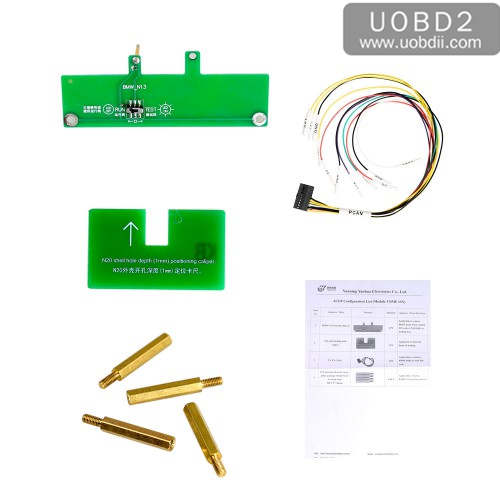
Firstly, to have Yanhua Mini ACDP + Module 3.
yanhua-mini-acdp-read-write-b38-isn-02 yanhua-mini-acdp-read-write-b38-isn-03

Method 1: Yanhua Mini ACDP read write B38 ISN on Bench
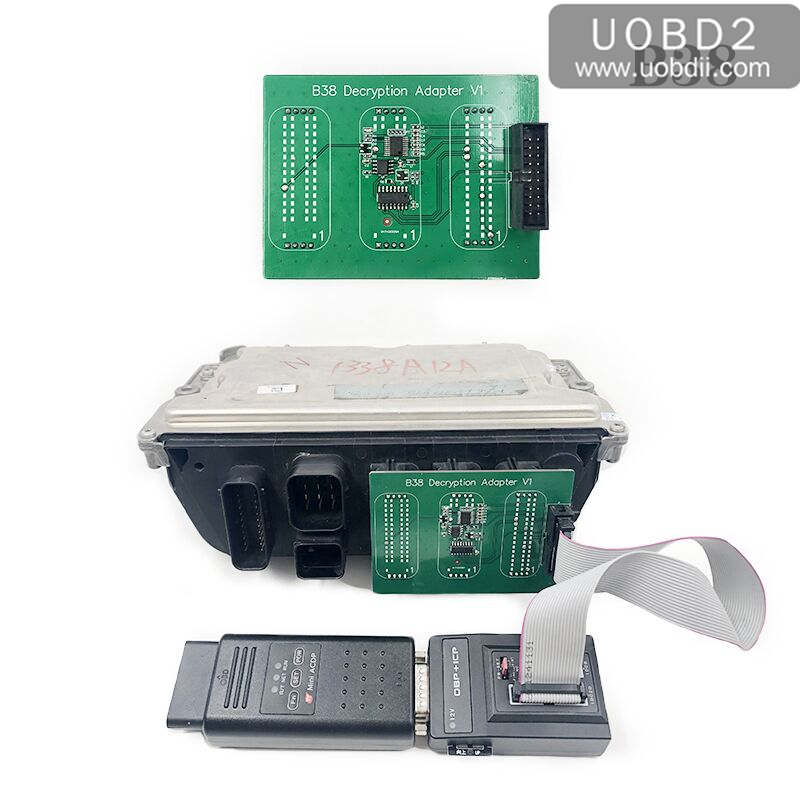
Without opening the DME shell, you need one extra B38 Integrated Interface Board (will come soon).
yanhua-mini-acdp-read-write-b38-isn-04

Open Mini ACDP.
Click on "BMW".
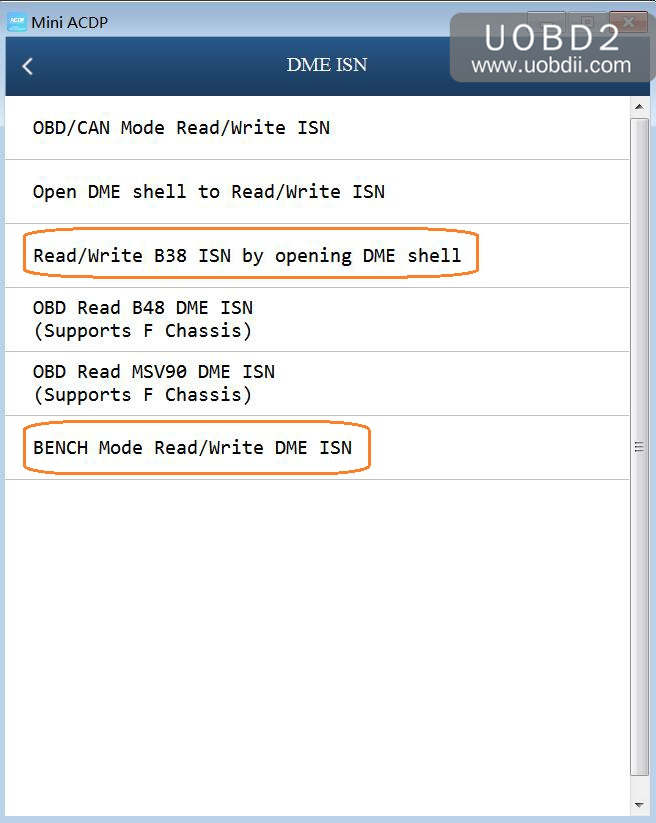
Click on "DME ISN".
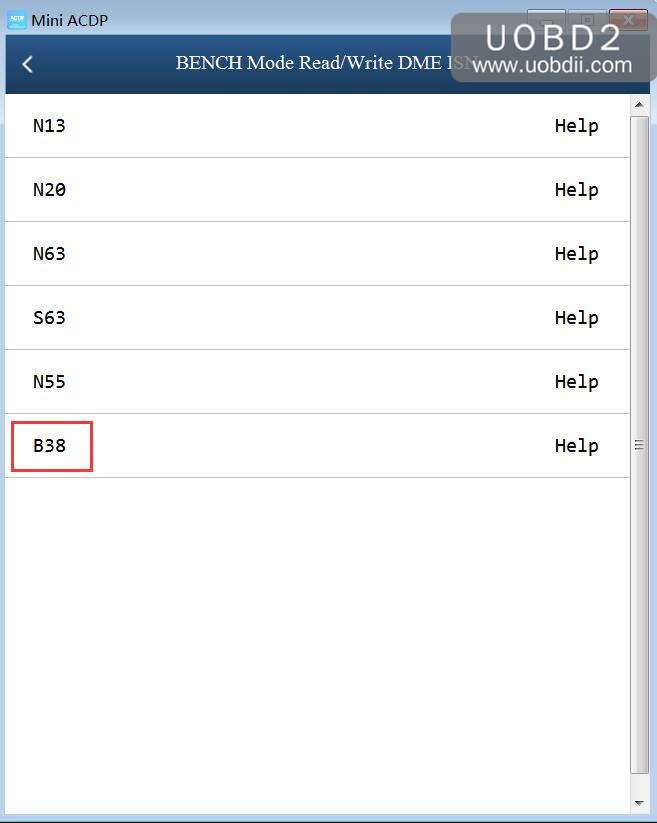
Click on "Bench Mode Read /Write DME".
yanhua-mini-acdp-read-write-b38-isn-05

Step 1. Please prepare ACDP, OBP+ICP adapter, interface board and DME.
yanhua-mini-acdp-read-write-b38-isn-06

Step 2. Connect the interface board correctly to the DME interface as shown.
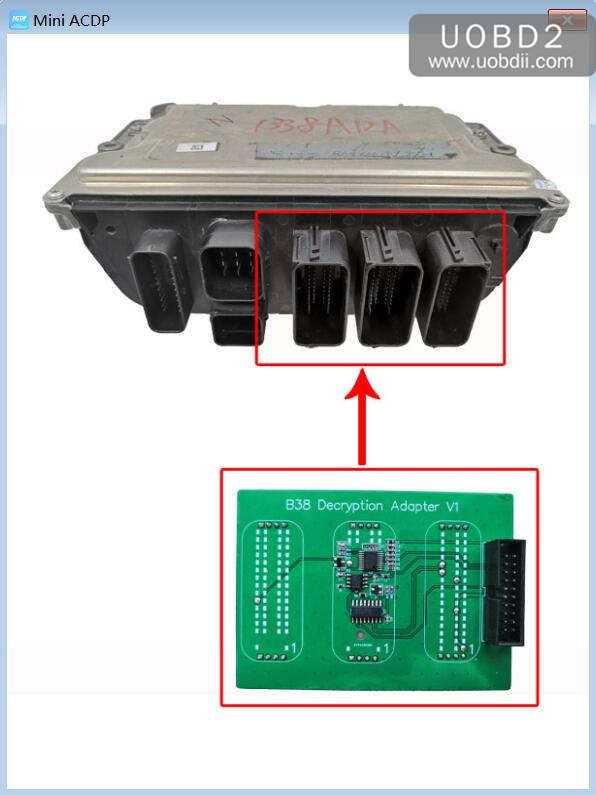
yanhua-mini-acdp-read-write-b38-isn-07

Step 3. Connect ACDP, OBP+ICP adapter, interface board and DME.
yanhua-mini-acdp-read-write-b38-isn-08

Method 2: Yanhua Mini ACDP read & write B38 ISN by opening DME shell
No need one extra B38 Integrated Interface Board.
Only need Yanhua Mini ACDP with Yanhua Mini Module 3.

Open Mini ACDP.
Click on "BMW".
Click on "DME ISN".
Click on " Read & write B38 ISN by opening DME shell".
There are "Help" icon that you can follow o operate.

5/20/2019

Yanhua Mini ACDP reads MEV1722 DME ISN Step by Step Procedure

This article show you the step-by-step guide on how to use Yanhua Mini ACDP programmer to read ISN for BMW MEV1722 DME.


Device to use:
Yanhua Mini ACDP mux with OBP+ICP adapter
Module 3 for ACDP


Image 1: Mini ACDP mux and OBP+ICP adapter

Source: http://www.uobdii.com/wholesale/yanhua-mini-acdp-programming-master.html


Image 2: ACDP Module 3

Source: http://www.uobdii.com/wholesale/yanhua-mini-acdp-read-bmw-dme-isn-code-by-obd-module.html


Procedure:

Step 1: Please prepare ACDP, OBP+ICP adapter, PCAN line and engine.


Step 2: Find the engine port wiring position as shown in the image.


Step 3: Short the CAN termination resistor on the OBP+ICP adapter to the "CAN-R-Join" terminal.


Step 4: Connect the ACDP, OBP+ICP adapter, PCAN line and engine.


Step 5: Open your phone with Bluetooth and wifi connected.

Step 6: Tap "BMW" -> "DME ISN" -> "OBD Mode Read /Write IS" -> "Read MEV1722 DME ISN".


FYI, you can click on "Help" to follow the wiring diagram (shown as image 11). That's the reason why Yanhua Mini ACDP is popular.